
GIS4Mobile User Profile Designer
Design and configure data collection for the GIS4Mobile app
GIS4Mobile User Profile Designer is a web-based tool for setting up how geographic data is collected and updated with the GIS4Mobile app. It is available at my.gis4mobile.com (GIS4Mobile Setup Manager).
A User Profile defines the complete registration setup: which maps are shown, which forms and fields are used, and how registrations are displayed in the app.
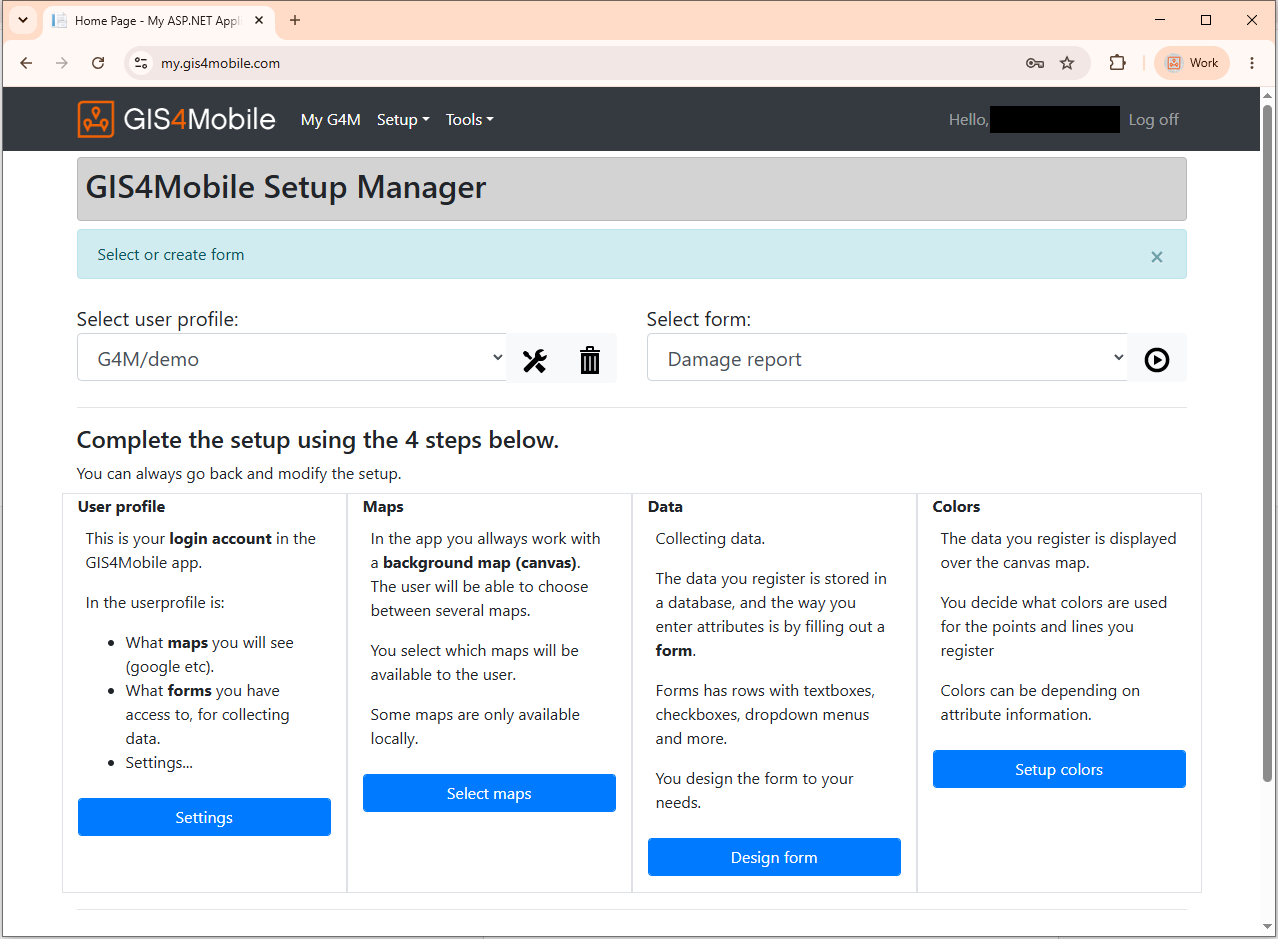
Set up a User Profile in four steps
You can always go back and modify the setup. Click an image to enlarge it.
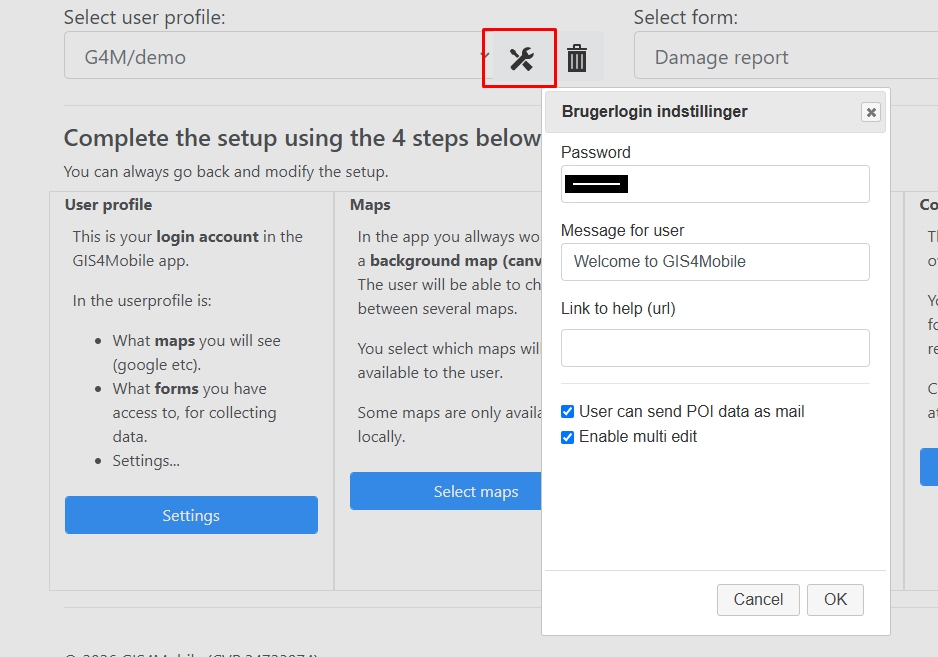
1. User profile settings
The User Profile is the login account used in the GIS4Mobile app. In the profile settings you set the password, a welcome message and a link to help for the user, and choose options such as multi-edit and sending POI data by email.
2. Maps
Select the background maps available to field workers, such as OpenStreetMap and WMS services. Users can switch between the maps you make available.
3. Design the form
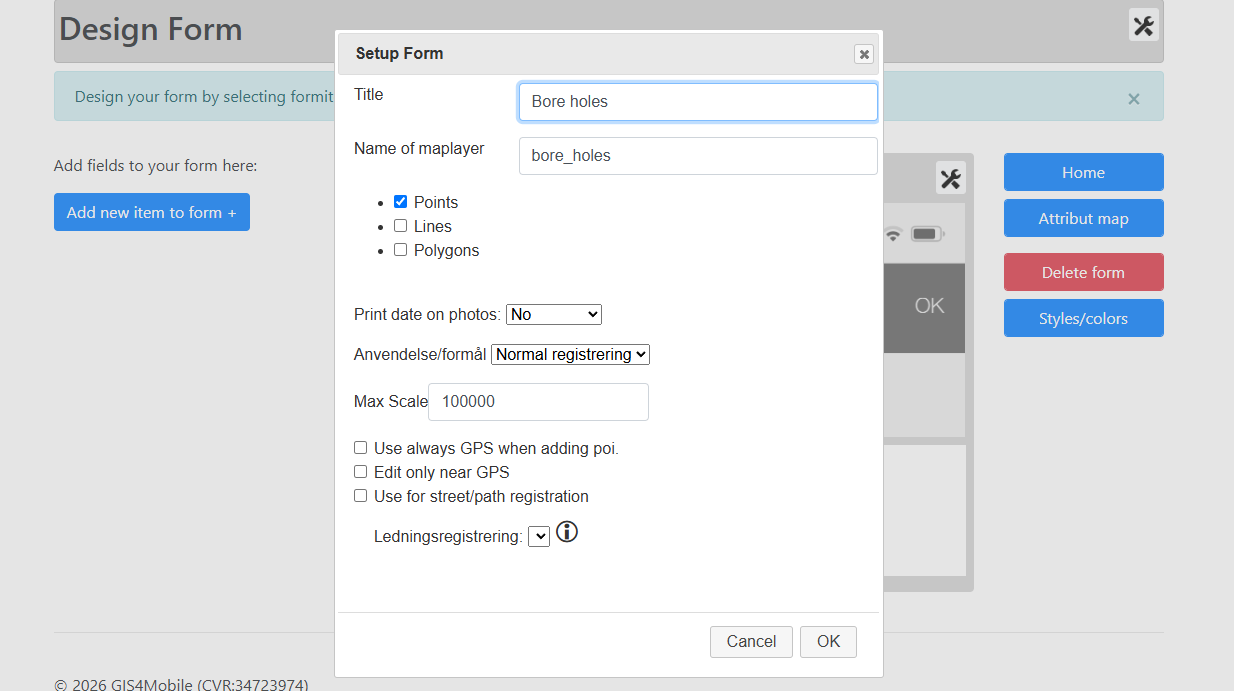
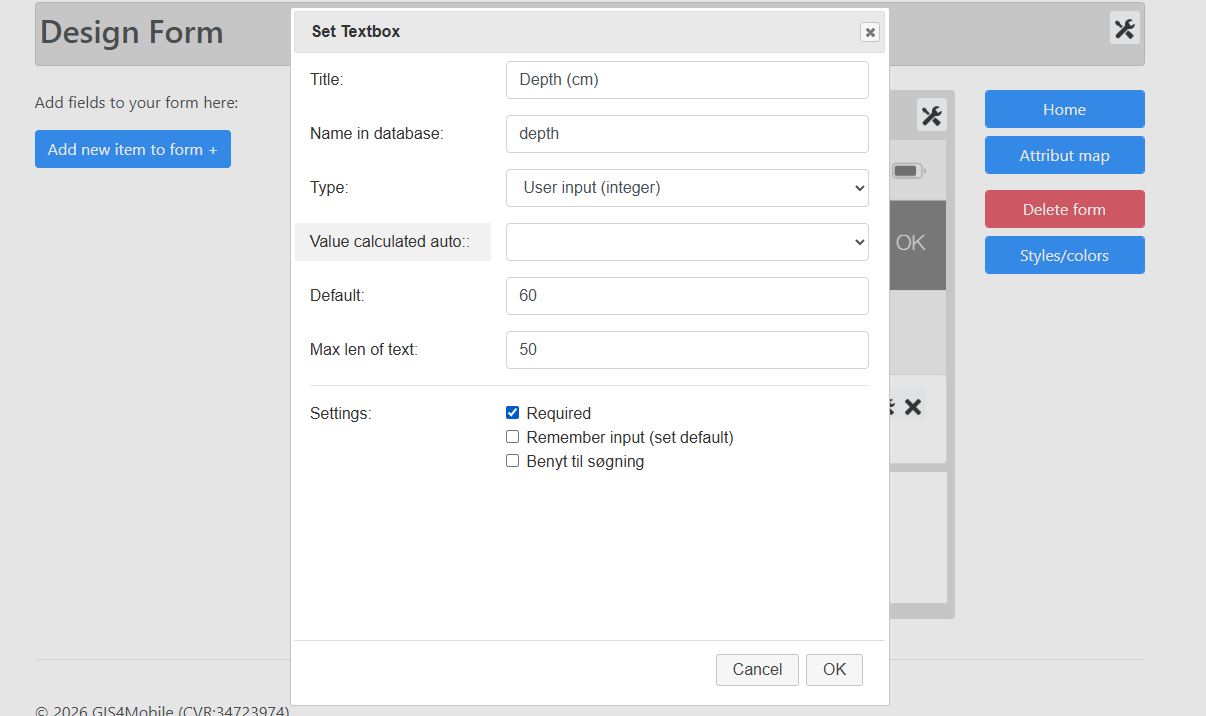
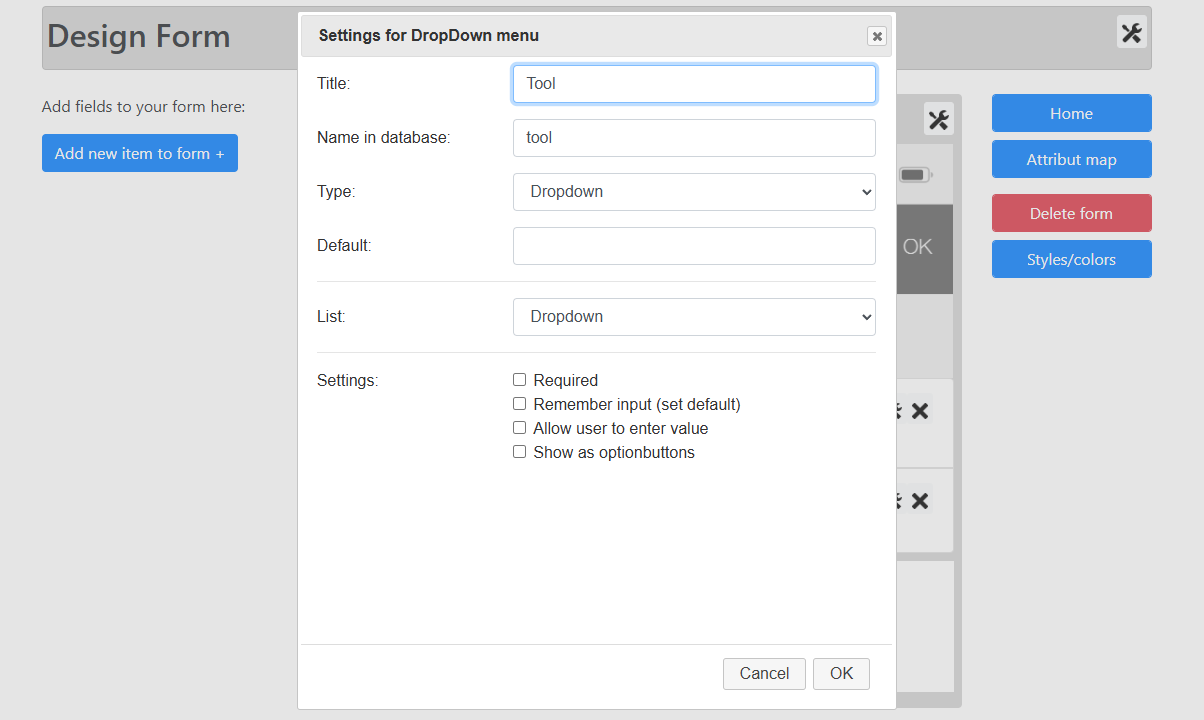
Create a form for each map layer and choose whether users register points, lines or polygons. Add fields one at a time, give each field a title and a name in the database, and set options such as required, default value and remembering the last input.
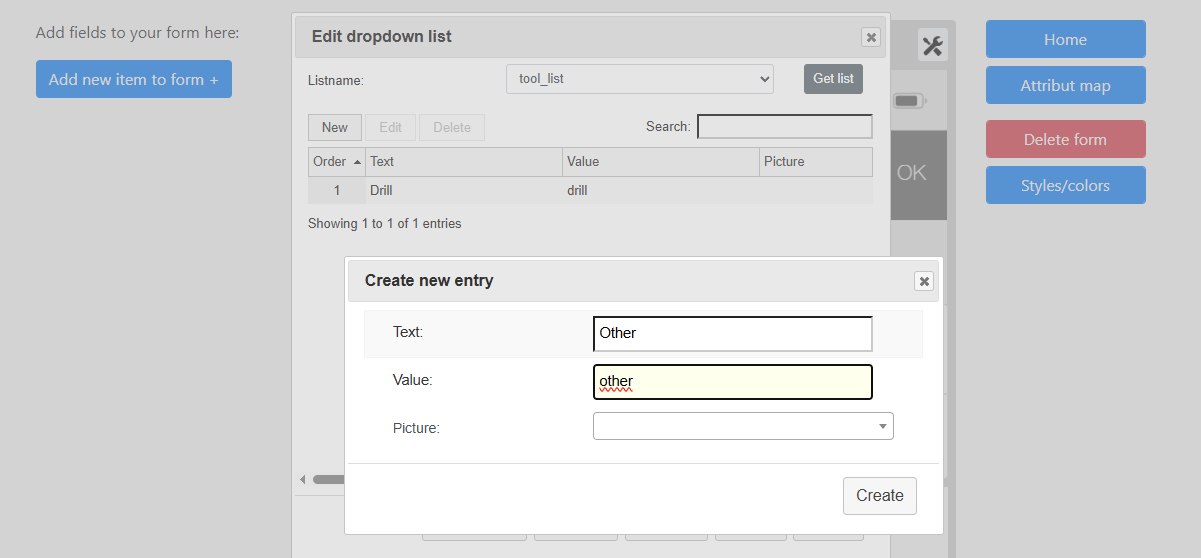
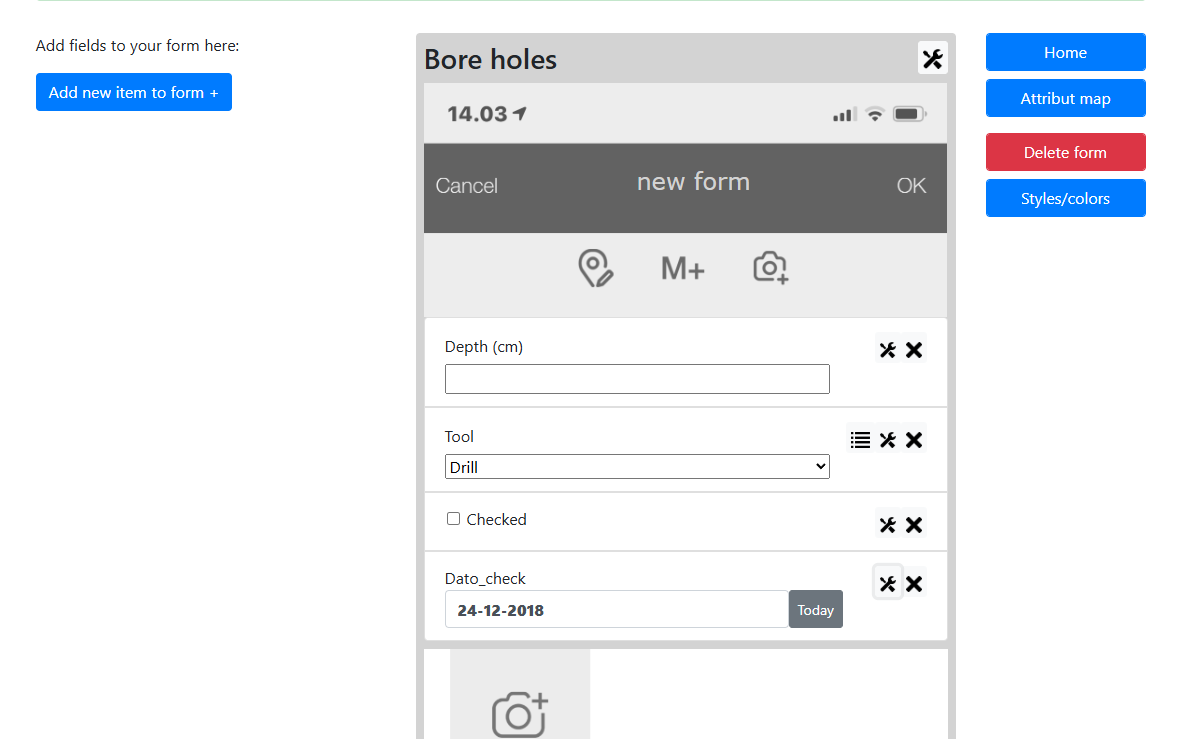
Dropdown lists are maintained directly in the designer, and a live preview shows how the form will look in the app.
4. Colors
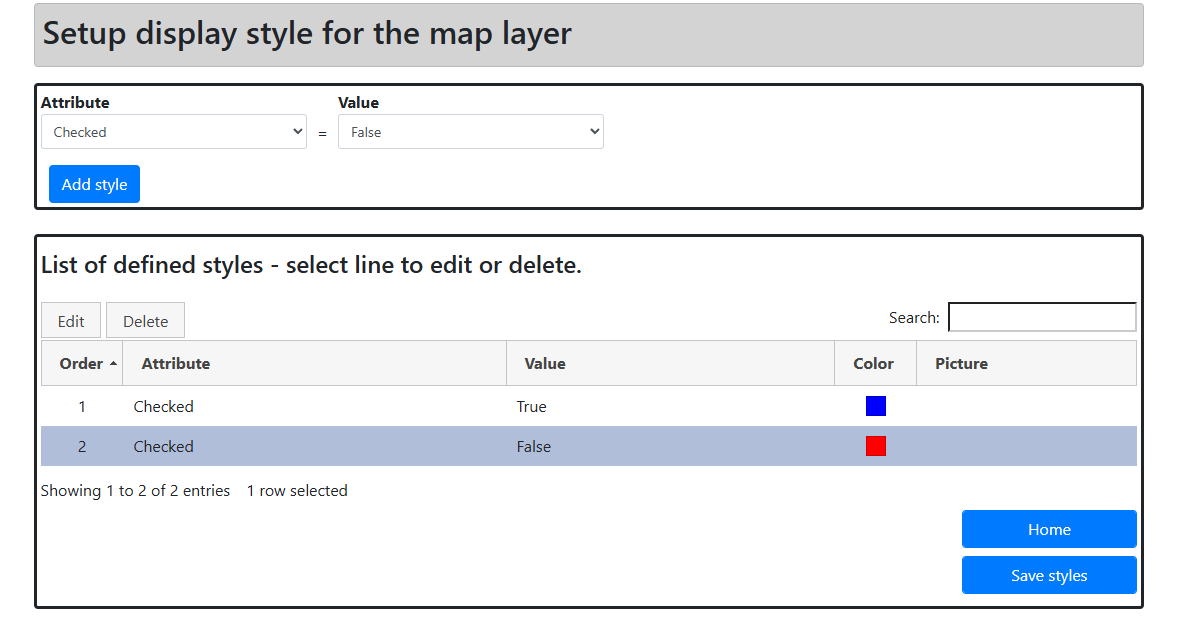
Set up display styles for each map layer, so registrations are shown in colors based on their attribute values – for example blue for checked and red for unchecked objects.
Design your own registration forms
Forms can contain the input types needed for your workflow, including:
Text and numeric fields.
Yes/no selections.
Dropdown lists, including dependent selections.
Date fields.
Multiple-choice selections.
Read-only information and links to documents.
Photo attachments.
Fields can be required or optional. Each field is linked to an attribute in a GIS dataset, so collected information is stored in the correct data structure.
Central and consistent configuration
User Profiles are designed and maintained online. Changes are made available to users of the GIS4Mobile app without updating the app itself, and everyone in the organization works with the same forms and registration procedures. This improves data quality and keeps data collection consistent across projects and field teams.
Get started
Go to my.gis4mobile.com and register with your email address.
Confirm your account using the link in the email you receive, and log in.
If you manage a GIS4Mobile company account, open your account page (click your name) and link it by entering the account name, administrator login and password.